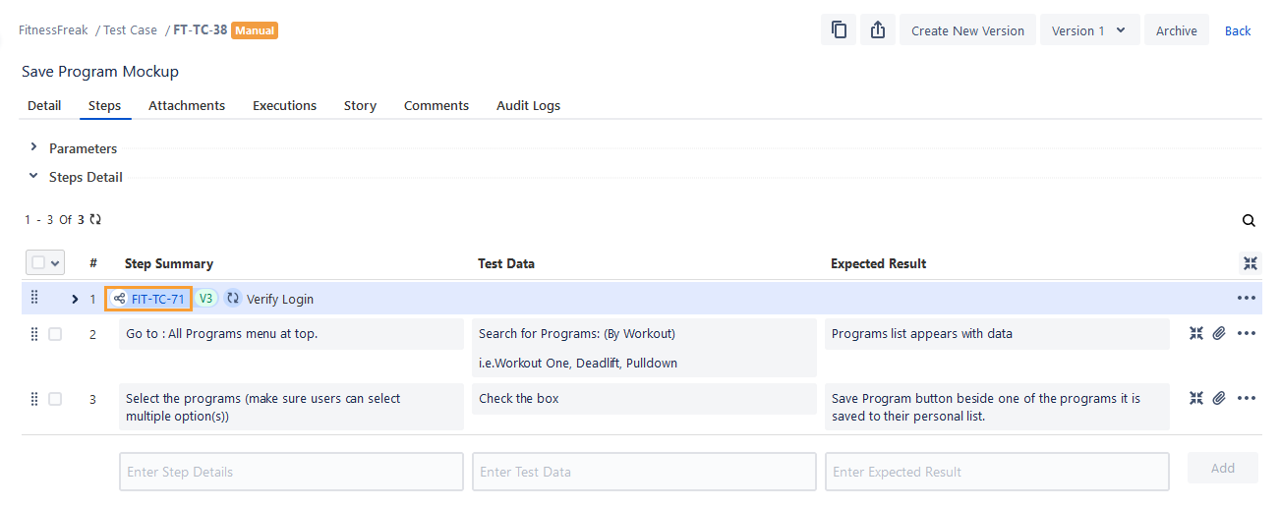
Export Shareable Test Cases to Other Project
The document describes how to export shareable test cases from one space to other space within the same Jira instance. To read about independent test case export, refer to Export Test Cases to Other Space.
Note
If the shared test case is exported to other space, it is exported as a shared test case with a new test case key.
If only an independent normal test case is exported to other spaces, the shared test case of the source space will be reused with the new test case key of the independent normal test case.
Note
Prerequiistes:
The QMetry for Jira feature (Space Settings > QMetry Space Settings) should be enabled for both the source and target spaces.
If the Permissions feature is enabled for the target space, users must have the Export permission (Space Settings > QMetry Permissions) assigned to them.
Steps to export shareable test cases to other space
Perform the following steps to export shareable test cases to other spaces:
Go to Test Management and select Test Case.
On the Test Case List View, click the More icon and select Show Shareable Test Cases option. The screen displays shareable test cases.
Select shareable test cases that you want to export to other space in the same Jira instance. You can also narrow down the test case search by applying filters.
Select the check box in the column header to select all test cases on the page. To select all test cases across the pages, select the Select All Across Pages check box.The options for Bulk Operation start displaying on the screen after selecting the test case(s).
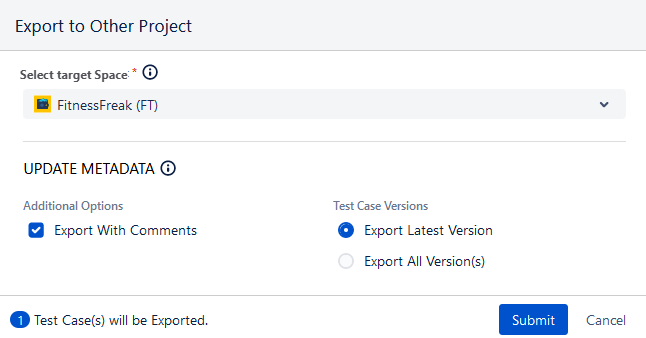
Click the Export drop-down list and select Export to Other Space.
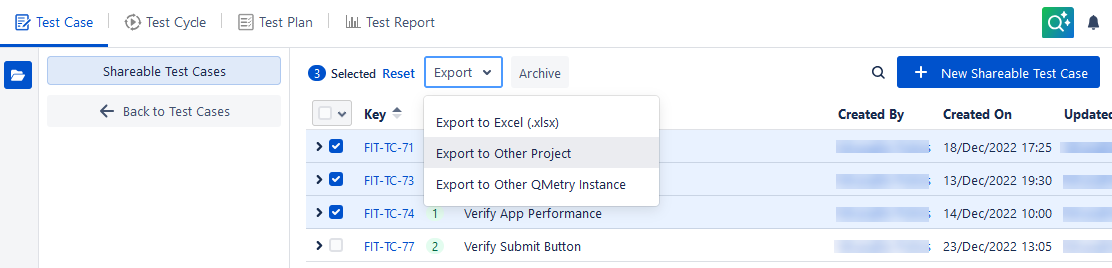
The Export to Other Space dialog appears.
Select Target Space: This is the space in which you want to export the shareable test case(s). Click the drop-down list and select the space.
Tip
Follow these steps while exporting test cases containing shared parameterized steps to other space. The parameters and their values are space-specific and will not be directly created or replaced in the destination space.
Export the shareable test cases to another space, replace the parameters as per the destination space, and then link them to the main test cases.
Additional Options
Select the items that you like to copy from test cases during import:
Export with Comments: Select the check box to export Comments along with test cases.
Test Case Versions
Select either of the following to indicate whether the latest version or all versions of the test cases are to be exported from the source space.
Export Latest Version
Export All Version(s)
Click Submit.
The success message appears.
Navigate to the Notification section to view the current status of the activity and background processes.
The shareable test cases are imported in the target space.
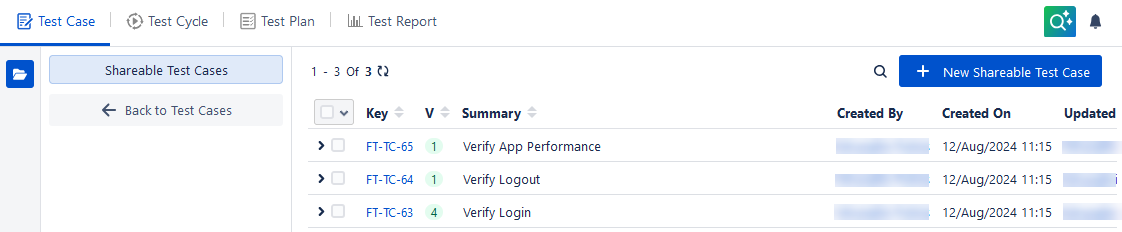
Shareable test cases in the target space
If the shared test case is exported to other space, it is exported as a shared test case with a new Test Case Key.
The shareable test cases get copied to the target space with the values as per the options selected on the Export screen.
Independent normal test case with shareable test cases in the target space
If only independent normal test case is exported to other space, the shared test case of source space will be reused with the new test case key of the independent normal test case.
The independent normal test case will have a new test case key, but the shareable test case will be reused and its key will remain the same as that of the source space.