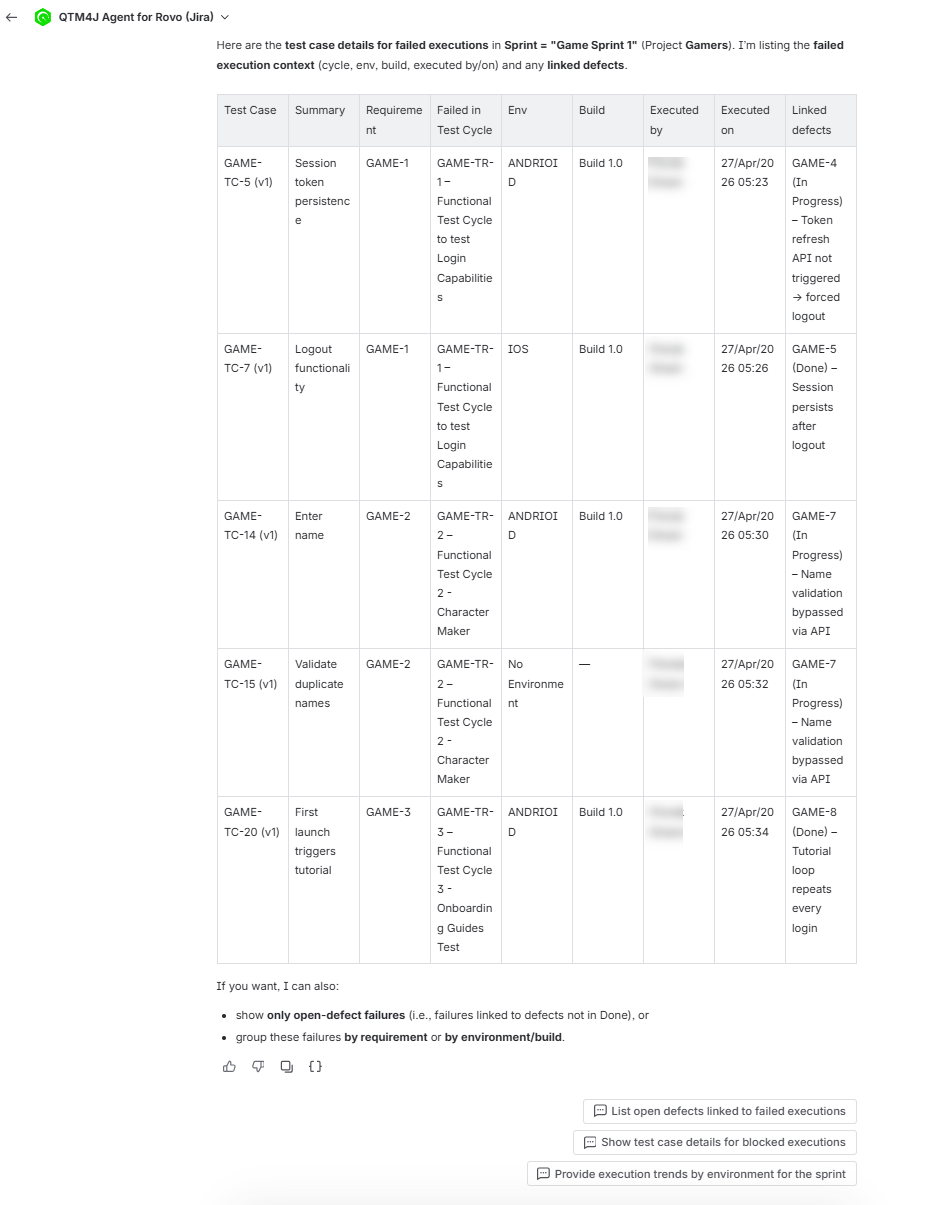
Execution Trends
The Execution Trends capability summarizes test execution status for a selected sprint or release. It enables users to evaluate execution progress and distribution across requirements without generating manual reports.
Input Requirements
You can specify:
Sprint name (for example, Sprint 1)
Release / Fix version (if applicable)
Space key (required if context is not inferred)
Output
The Execution Trends capability returns:
Execution status by requirement
Overall execution counts across statuses, including:
System-defined statuses (Passed, Failed, Blocked, Work in Progress, Not Executed)
Custom execution statuses (if configured)
Key observations highlighting execution patterns or risks
Tabular trend view by requirement
Suggested follow-up queries
Use Execution Trends Skill
To use the execution trends skill, perform the following steps:
Click Ask Rovo on any Jira page (for example, a Jira Story page or a QTM4J page).
Click Rovo.
In the agent selector, search for “QTM4J” and select QTM4J Agent for Rovo.
Enter a request such as “Show execution trends for Sprint 1.”
Review the execution trend summary by requirement.
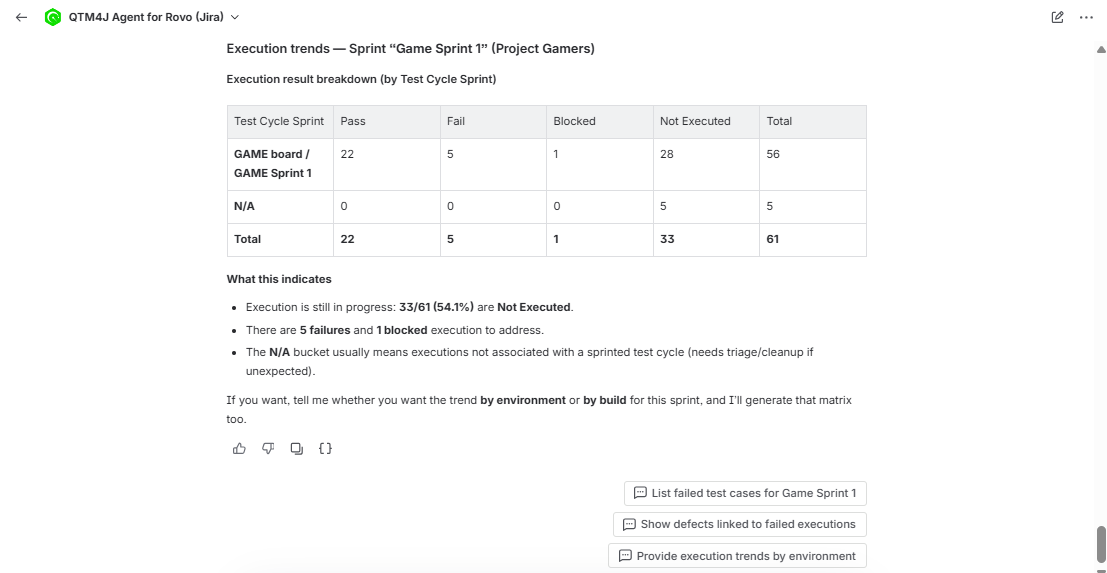
Review the overall counts for Passed, Failed, Blocked, Work in progress, and Not Executed executions.
Ask a follow-up question for a graphical trend if needed.
Review the result of the follow-up queries. Review the generated chart or table, and the values.