Defect Analysis
The Defect Analysis capability summarizes defects associated with a sprint. It enables users to review defect volume, status distribution, and resolution state without generating manual reports.
Input Requirements
You can specify:
Sprint name (for example, Sprint 1)
Space key (required if context is not inferred)
Output
The Defect Analysis capability returns:
Total defect count (sprint-level summary)
Defect status distribution (for example, Open, In Progress, Resolved, Closed)
AI-generated observations highlighting key patterns or risks
Suggested follow-up queries for further analysis
Data Scope
The sprint-level summary represents the total number of defect linkages
The detailed defect view includes only defects linked to test cases or requirements
As a result, the sprint-level count may be higher than the detailed defect list.
Use Defect Analysis Skill
Perform the following steps to use the defect analysis skill:
Click Ask Rovo on any Jira page (for example, a Jira Story page or a QTM4J page).
Click Rovo.
In the agent selector, search for “QTM4J” and select QTM4J Agent for Rovo.
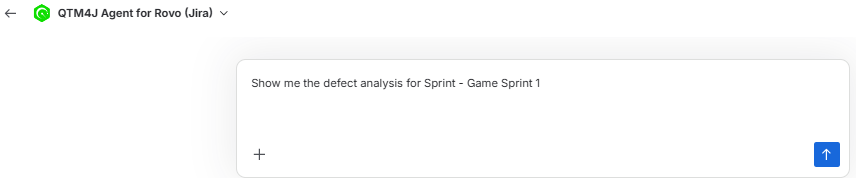
Enter a request such as “Show defect analysis for Sprint 1.”
Review the following details:
The sprint-level defect summary.
The status summary indicating whether defects are open, in progress, resolved, or closed.
The concluding observations that indicate if defect resolution is pending.
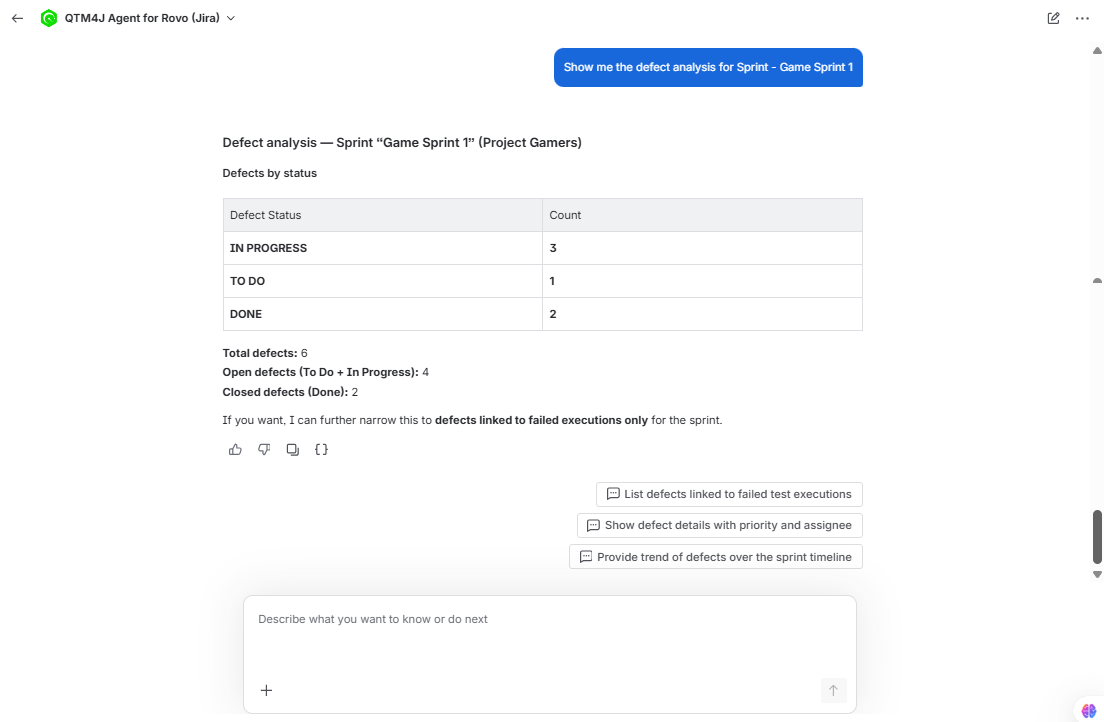
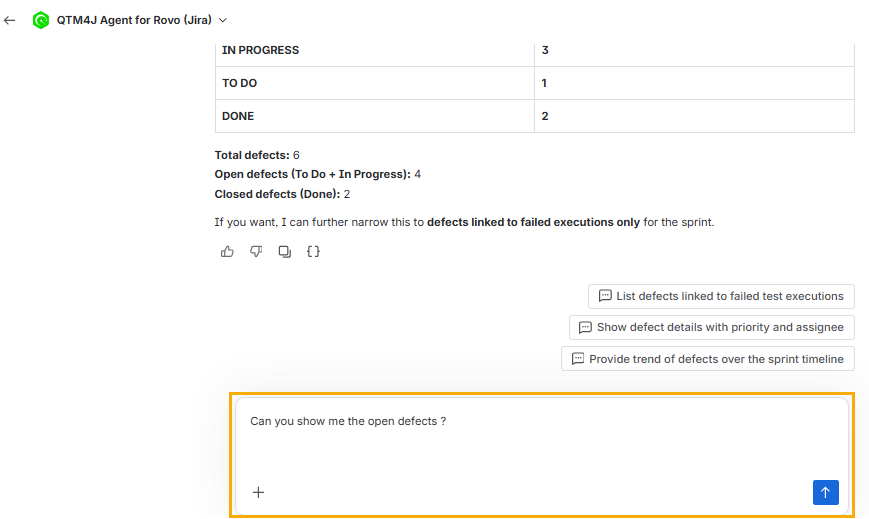
Ask a follow-up question to view more details. For example, ask for defect priorities or defect details.
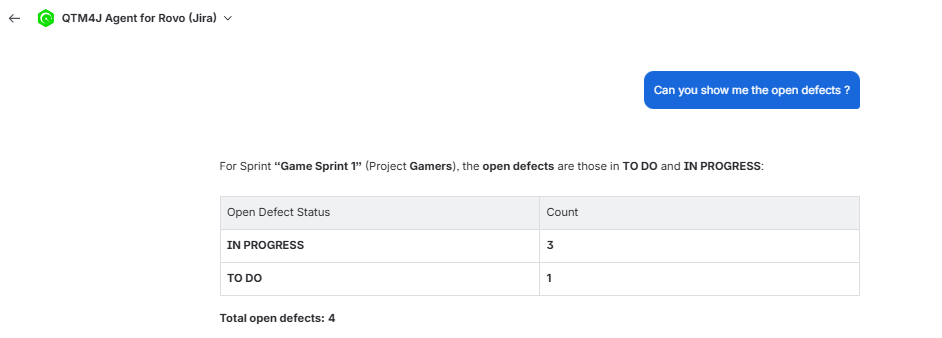
Check result of the follow-up question.
Review Linked Defect Details
To review linked defect details, perform the following steps:
After you receive the sprint-level summary, enter a follow-up request for defect details.
Review the returned defect list.
Compare the detailed list with the sprint-level count.
Note that the detailed list includes only defects linked to a requirement or a test case.