Ad Hoc Test Cycles
The Ad hoc Test Cycles capability enables the creation of test cycles based on selected or dynamically identified test cases. It supports targeted execution by allowing users to generate cycles directly from contextual queries.
Input Requirements
You can specify test cases based on:
Requirement context (for example, test cases linked to a Story)
Execution status (for example, Failed, Blocked)
Filter criteria (based on query conditions)
Previous Rovo results (for example, failed or blocked test cases from earlier queries)
Note
Permission required: You must have the Test Cycle Create permission in QMetry to use this capability.
Output
The Ad-hoc Test Cycles capability provides:
List of matching test cases based on the query
Option to review and confirm selection
Creation of a new ad-hoc test cycle with selected test cases
Create an Ad hoc Test Cycle
Perform the following steps to create an ad hoc test cycle using QTM4J Agent for Rovo:
Click Ask Rovo on any Jira page (for example, a Jira Story page or a QTM4J page).
Click Rovo.
In the agent selector, search for “QTM4J” and select QTM4J Agent for Rovo.
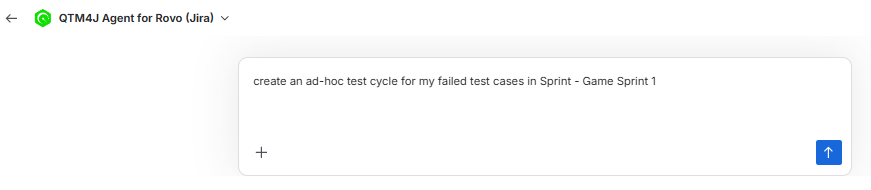
Enter a request such as “Create an ad hoc test cycle for test cases that have Fail execution status in <space_name>.”
Review the matching test cases.
Select the Create Ad hoc Test Cycle checkbox and click Confirm Selected.
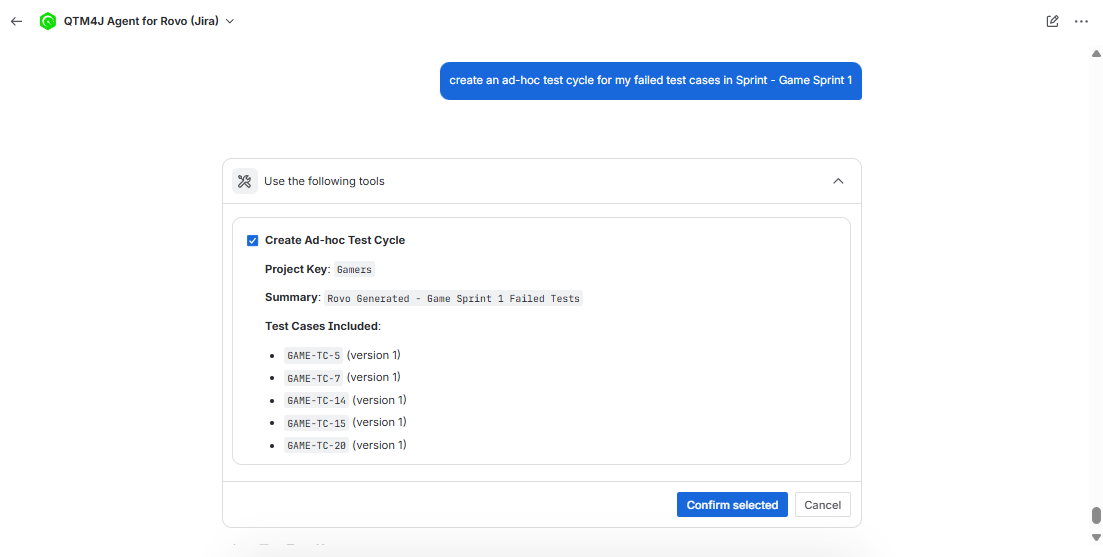
An ad hoc test cycle is created.