QMetry Test Management for Jira Plugin
About the Plugin
QMetry Test Management for Jira plugin for Jenkins is designed to integrate your CI/CD pipeline with QMetry seamlessly.
Easily configure Jenkins to submit your test results to QMetry without needing to write any code or deal with the REST API. Your Test Results could be from any automation framework like Cucumber, TestNG, JUnit, QAF, and more.
For more information, visit QMetry Test Management for Jira.
Prerequisites
QMetry Test Management for Jira is installed in Server/Data Center or Cloud.
Jenkins is installed.
Install QMetry For Jira Test Management Plugin
Perform the following steps to install the plugin:
Go to the Jenkins instance and select Manage Jenkins in the left pane.
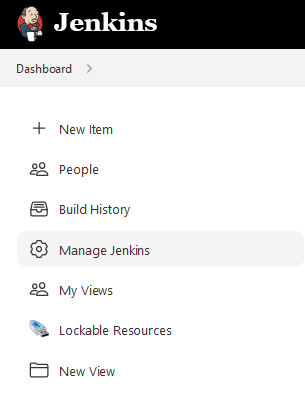
Select Manage Plugins on the next screen.
Select the Available tab.
Search for QMetry for Jira plugin.
Select the QMetry for Jira - Test Management Plugin and click the Install without restart button.
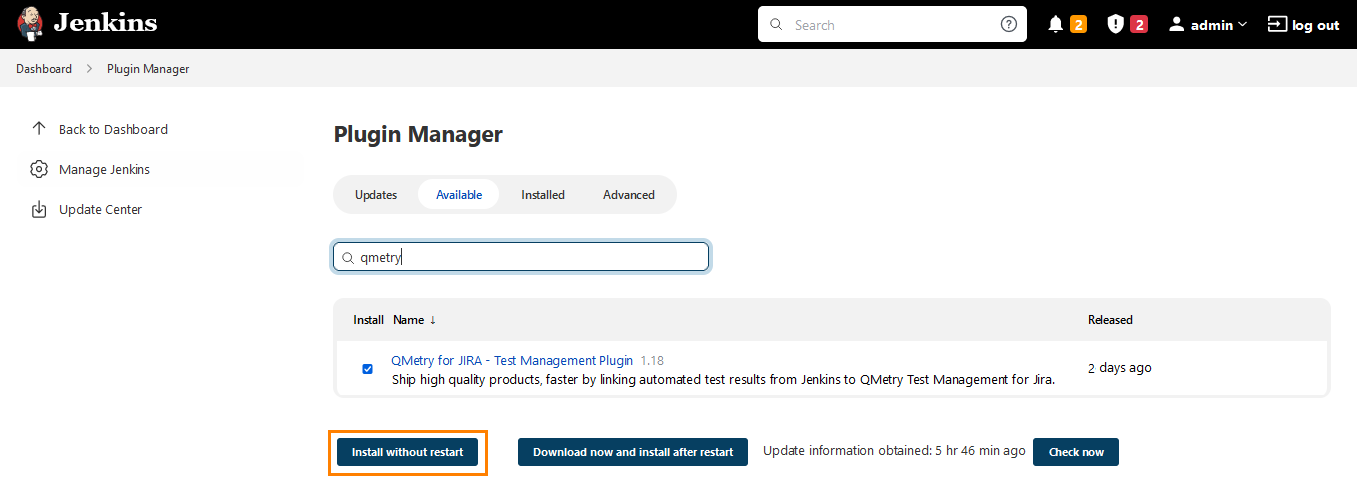
The system starts the installation process.
Once the plugin is installed, the Success status appears.
Uninstall QMetry For Jira Test Management Plugin
Perform the following steps to unintall the plugin:
Go to the Jenkins instance and click Manage Jenkins in the left pane.
Select Manage Plugins on the next screen.
Select the Installed tab.
Search for QMetry for Jira plugin.
Select the QMetry for Jira - Test Management plugin and click the Uninstall button.
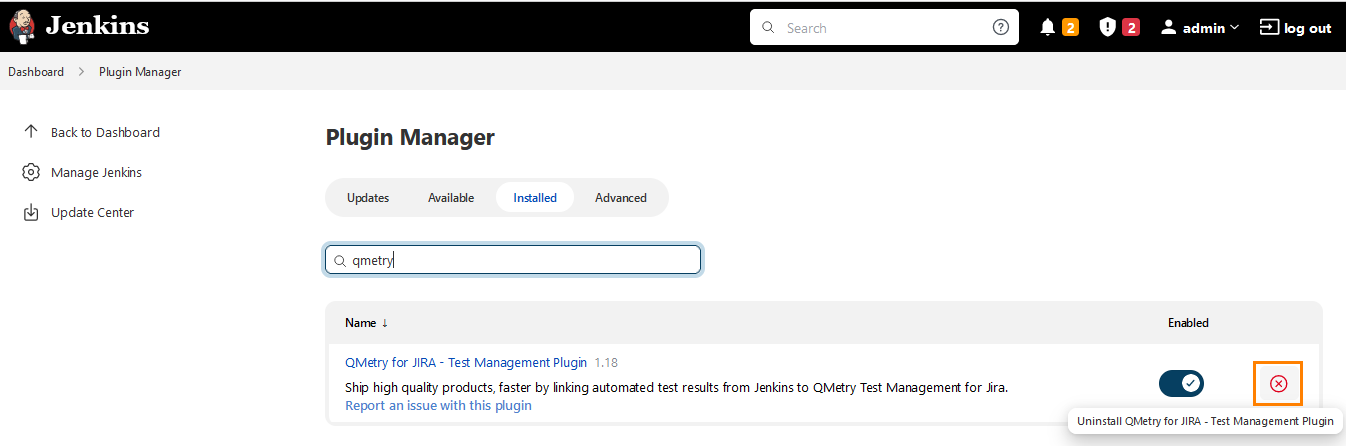
The confirmation message appears.
Click Yes to proceed.

See Also
QMetry For Jira Test Management Plugin 4.0 and above