Define Parameters
To define parameters for your job, select the This project is parameterized checkbox.
It enables the Add Parameter list with the parameter types. Add as many parameters as you need.
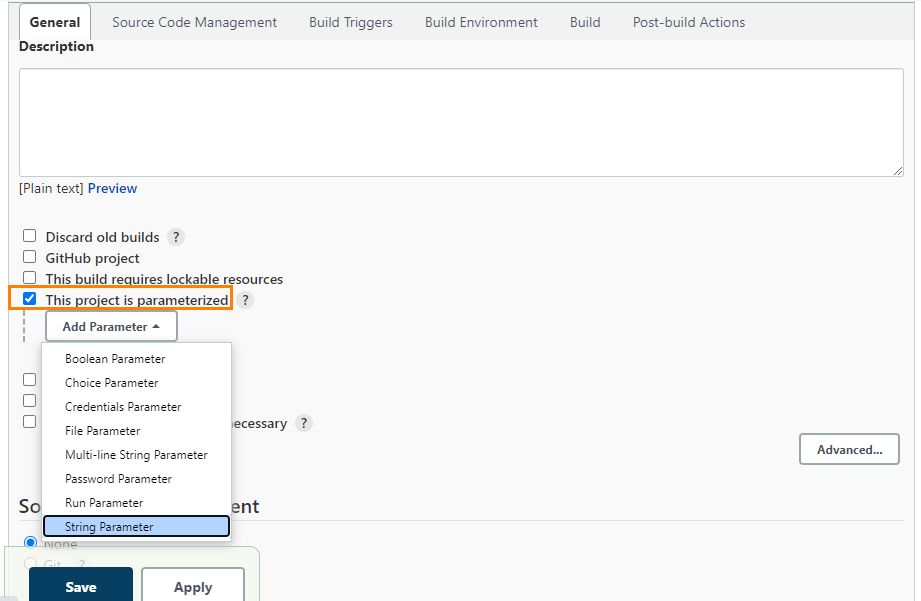
The parameters take effect according to their respective parameter type.
For example,
When you select the String Parameter, the corresponding parameters are added.
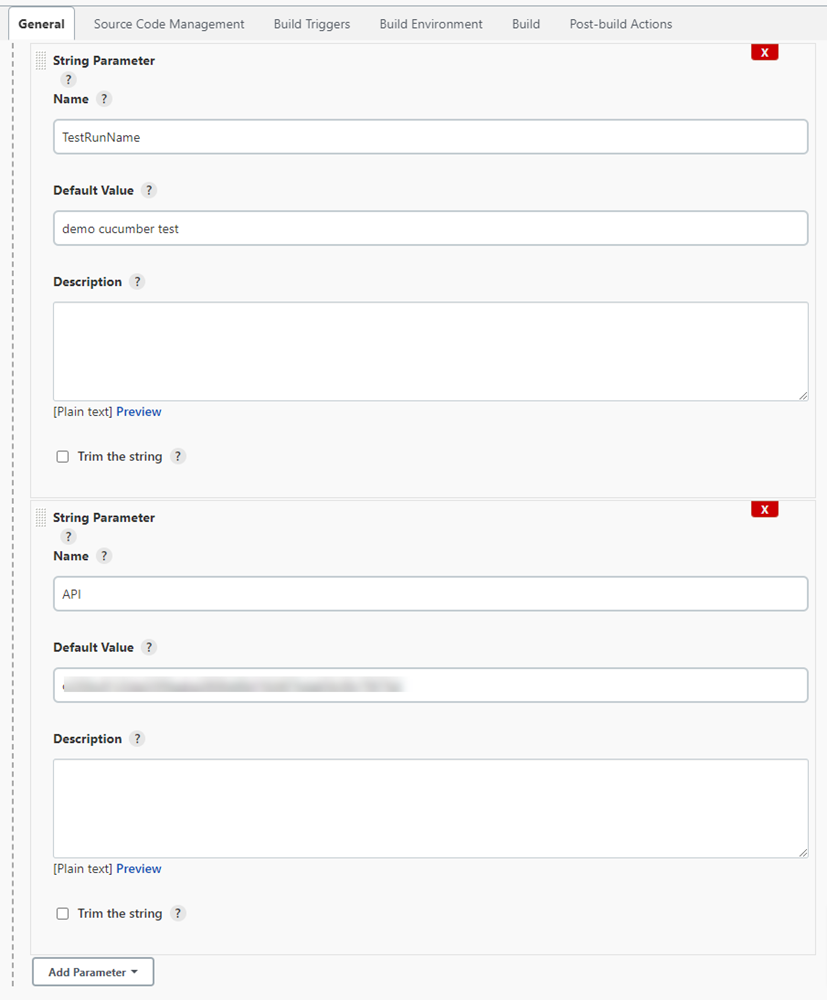
The parameters are parsed dynamically at run time.
Enter the field values in the following syntax:
${ParameterName}
For the given example, the field values are ${API} and ${TestRunName}.
The system parses the parameter values according to the specified fields.
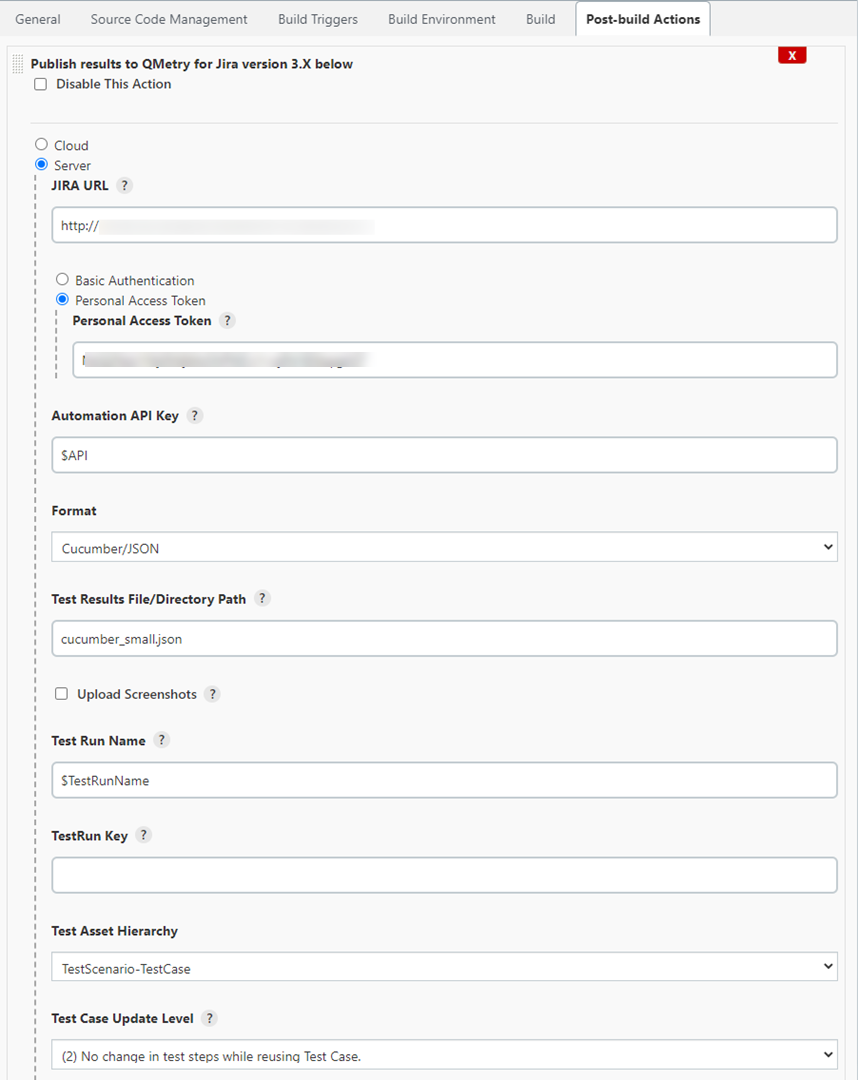
You can also change the values before triggering the Jenkins build.
JIRA Fields
i) How to get the Custom Field ID?
Rest call to Jira to get all Jira fields.
The following URL gives the ID for all custom fields that you want to apply.
<Jira_Base_URL>/rest/api/2/field
ii) Base format for custom fields.
[{"testRun": [{}]},{"testScenario": [{}]},{"testCase": [{}]}]iii) Standard Custom Field Types
The following types are for reference only; other types of Custom Field Types are also supported.
Custom Field Type | Validation Rule | Example |
|---|---|---|
Checkboxes | The checkbox accepts comma-separated multiple values |
|
Date Picker | The Date picker accepts only specified format Date |
|
Date Time Picker | The Date time picker accepts only specified format Date and time |
|
Number Field | The Number field accepts any number with decimal |
|
Radio Buttons | The radio button accepts single value from JIRA fields |
|
Select List (multiple choices) | The Select List Multiple accepts comma separated multiple values |
|
Select List (single choice) | The radio button accepts single value from JIRA fields |
|
Text Field (multi-line) | It accepts text in multiple lines |
|
Text Field (single line) | It accepts text in single line |
|
URL Field | It accepts Web URL |
|
User Picker (single user) | The User field accepts only available JIRA users |
|
iv) JSON Example
If you want to set 2 custom fields (checkbox, single text) on test run issue type and one custom fields (Radio Button) on scenario and test case level.
"JIRAFields":[ { "testRun": [ { "customfield_10200": [ { "value": "true" }, { "value": "false" } ] }, { "customfield_10211": "this is sample.example" } ] }, { "testScenario": [ { "customfield_10206": { "value": "option1" } } ] }, { "testCase": [ { "customfield_10206": { "value": "option1" } } ] }]